| title | Display a chart image in Excel |
|---|---|
| description | When you retrieve a chart image, the Excel API in Microsoft Graph returns the image as a base-64 string that you can display inside an HTML image tag. |
| ms.localizationpriority | medium |
| author | lumine2008 |
| ms.subservice | excel |
| ms.date | 11/07/2024 |
| ms.topic | article |
When you perform a GET operation to retrieve a chart image, the Excel API in Microsoft Graph returns the image as a base-64 string. You can display the base-64 string inside an HTML image tag:
<img src="data:image/png;base64,{base-64 chart image string}/>
For default behavior, use Image(width=0,height=0,fittingMode='fit').
Following is an example of a chart image returned with the default parameters.
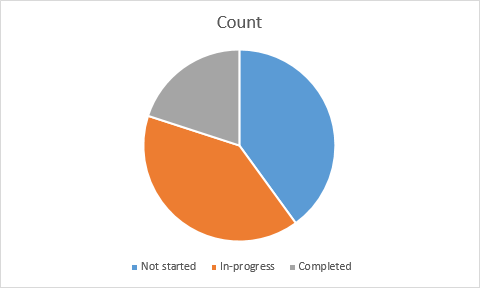
If you want to customize the display of the image, specify a height, width, and a fitting mode. Here is what the same chart image looks like if you retrieve it with these parameters: Image(width=500,height=500,fittingMode='Fill').