| title | Chart: Image |
|---|---|
| description | Renders the chart as a base64-encoded image by scaling the chart to fit the specified dimensions. |
| author | lumine2008 |
| ms.localizationpriority | medium |
| ms.subservice | excel |
| doc_type | apiPageType |
| ms.date | 06/04/2024 |
Namespace: microsoft.graph
Renders the chart as a base64-encoded image by scaling the chart to fit the specified dimensions.
[!INCLUDE national-cloud-support]
Choose the permission or permissions marked as least privileged for this API. Use a higher privileged permission or permissions only if your app requires it. For details about delegated and application permissions, see Permission types. To learn more about these permissions, see the permissions reference.
[!INCLUDE permissions-table]
GET /me/drive/items/{id}/workbook/worksheets/{id|name}/charts/{name}/image
GET /me/drive/root:/{item-path}:/workbook/worksheets/{id|name}/charts/{name}/image
GET /me/drive/items/{id}/workbook/worksheets/{id|name}/charts/{name}/image(width=640)
GET /me/drive/root:/{item-path}:/workbook/worksheets/{id|name}/charts/{name}/image(width=640)
GET /me/drive/items/{id}/workbook/worksheets/{id|name}/charts/{name}/image(width=640,height=480)
GET /me/drive/root:/{item-path}:/workbook/worksheets/{id|name}/charts/{name}/image(width=640,height=480)
GET /me/drive/items/{id}/workbook/worksheets/{id|name}/charts/{name}/image(width=640,height=480,fittingMode='fit')
GET /me/drive/root:/{item-path}:/workbook/worksheets/{id|name}/charts/{name}/image(width=640,height=480,fittingMode='fit')
| Name | Description |
|---|---|
| Authorization | Bearer {token}. Required. Learn more about authentication and authorization. |
| Workbook-Session-Id | Workbook session Id that determines if changes are persisted or not. Optional. |
In the request body, provide a JSON object with the following parameters.
| Parameter | Type | Description |
|---|---|---|
| height | Int32 | The desired height of the resulting image. Optional. |
| width | Int32 | The desired width of the resulting image. Optional. |
| fittingMode | string | The method used to scale the chart to the specified dimensions (if both height and width are set)." The possible values are: Fit, FitAndCenter, Fill. |
If successful, this method returns 200 OK response code and base-64 image string in the response body.
Here is an example of how to call this API.
The following example shows a request.
GET https://graph.microsoft.com/v1.0/me/drive/items/{id}/workbook/worksheets/{id|name}/charts/{name}/image(width=640,height=480,fittingMode='fit')
[!INCLUDE sample-code] [!INCLUDE sdk-documentation]
[!INCLUDE sample-code] [!INCLUDE sdk-documentation]
[!INCLUDE sample-code] [!INCLUDE sdk-documentation]
[!INCLUDE sample-code] [!INCLUDE sdk-documentation]
[!INCLUDE sample-code] [!INCLUDE sdk-documentation]
[!INCLUDE sample-code] [!INCLUDE sdk-documentation]
The following example shows the response. Note: The response object shown here might be shortened for readability.
HTTP/1.1 200 OK
Content-type: application/json;odata.metadata=minimal;odata.streaming=true

{
"value" : "base-64 chart image string"
}You can display the base-64 string inside an HTML image tag: <img src="data:image/png;base64,{base-64 chart image string}/>.
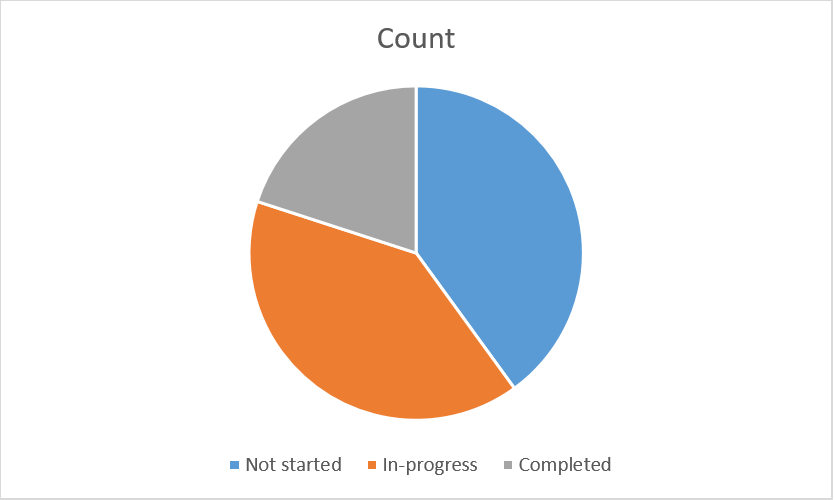
For default behavior, use Image(width=0,height=0,fittingMode='fit'). Here is an example of a chart image returned with the default parameters.
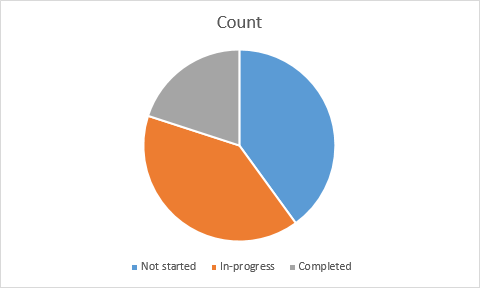
If you want to customize the display of the image, specify a height, width, and a fitting mode. Here is what the same chart image looks like if you retrieve it with these parameters: Image(width=500,height=500,fittingMode='Fill').