Netdata Cloud provides APIs for programmatic access to your monitoring infrastructure.
:::note
API documentation is a work in progress. More endpoints will be added soon.
:::
The Netdata Agent REST API provides access to metrics, alerts, and configuration on individual nodes. The complete documentation is available in OpenAPI format.
Explore the Agent API using:
- Swagger UI - Interactive API explorer
- Swagger Editor - Edit and test API calls
- OpenAPI Specification - Raw OpenAPI YAML
The Netdata Cloud REST API provides programmatic access to Cloud resources, spaces, rooms, and nodes across your infrastructure.
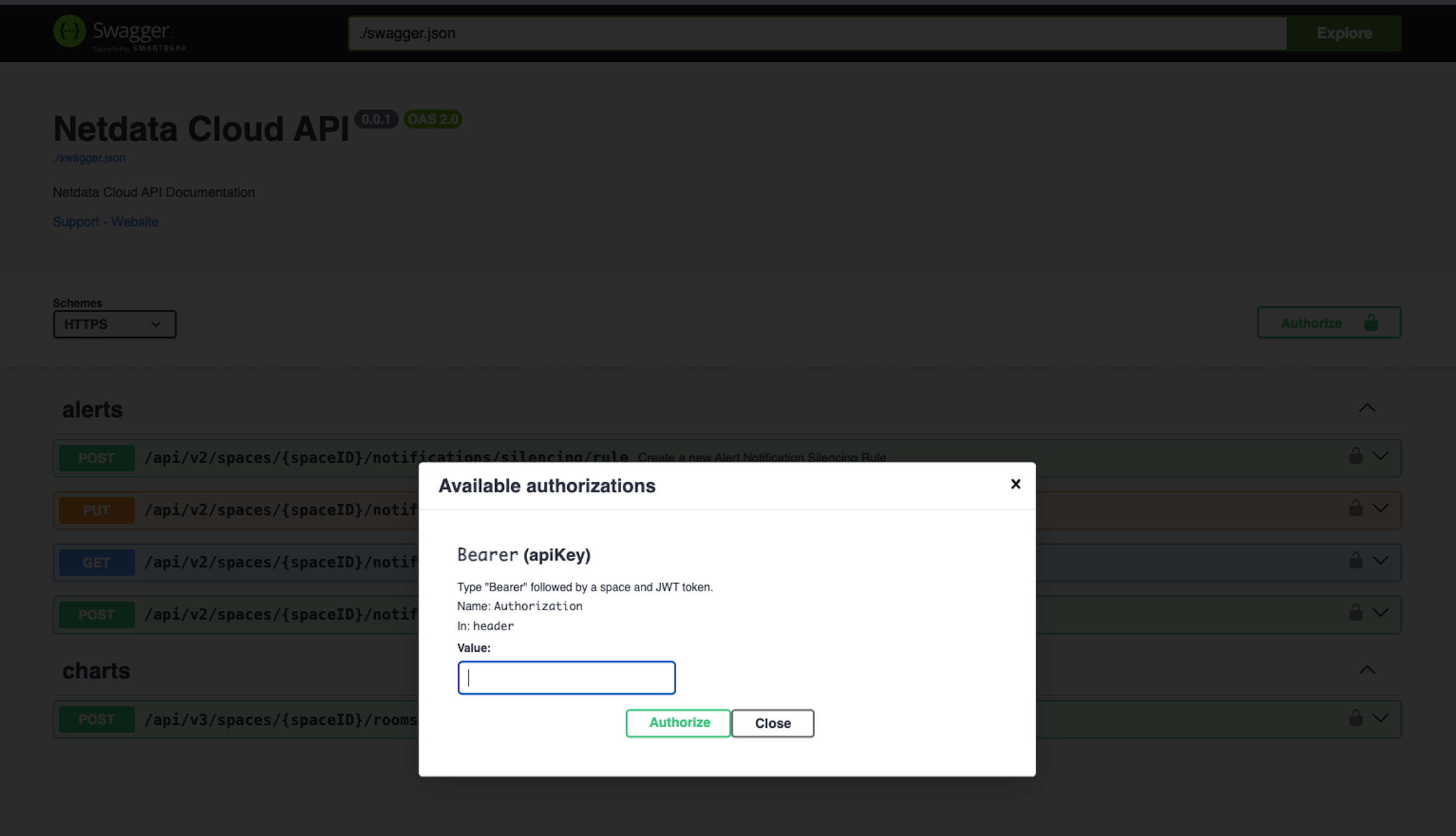
Explore the Cloud API using the live API documentation:
- Cloud API Documentation - Interactive API explorer
:::tip
The Cloud API documentation is always up-to-date and allows you to discover endpoints, view payloads, and test requests directly in your browser.
:::
To use the Cloud API, generate an API token from your Netdata Cloud account.
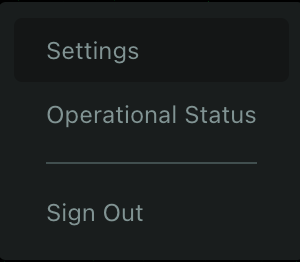
From the profile menu, click on "Settings" to access your account settings page.
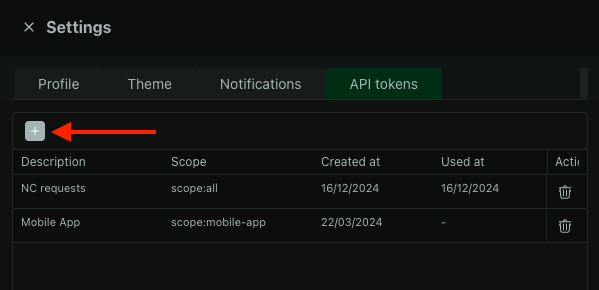
In the API Tokens section, click the + button to create a new token.
Choose scope:all to grant the token access to all Cloud API endpoints. Other scopes provide access to specific subsets of endpoints depending on your use case.
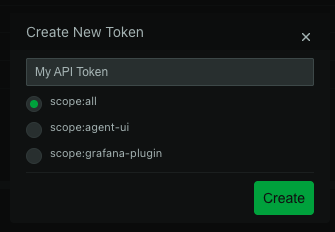
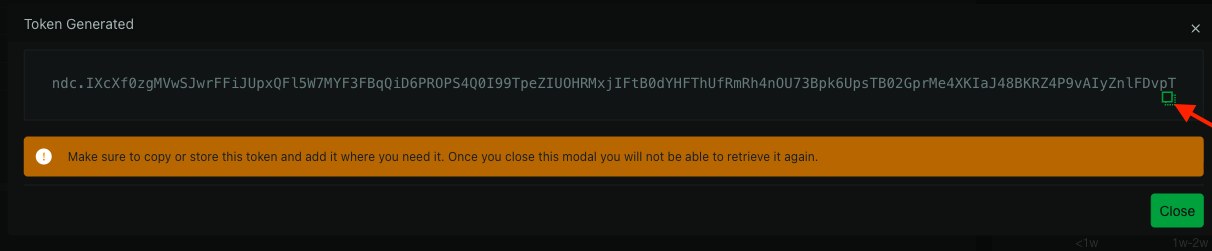
The token generates and displays once for security reasons. Save it securely - you'll need to generate a new token if you lose it.
:::warning
Save your token immediately. Netdata Cloud shows it only once for security reasons. If you lose it, generate a new token.
:::
Include the token in your API request headers:
Authorization: Bearer {{your_token}}
Replace {{your_token}} with your actual API token.
Example request:
curl -X GET "https://app.netdata.cloud/api/v2/spaces" \
  -H "Authorization: Bearer eyJhbGciOiJIUzI1NiIsInR5cCI6IkpXVCJ9..."