Here are instructions on how to manually backup and restore a sql database from one SQL Managed Instance to the other instance within the same Azure AD tenant. These instructions have been put together by my peer Karthik Yella
Once a database is encrypted with TDE using a key from Key Vault, any generated backups are also encrypted with the same TDE Protector.
To restore a backup encrypted with a TDE Protector from Key Vault, we need to make sure that the key material is still in the original vault under the original key name. Also, the target instance needs to have access to the TDE protector from the source instance.
You need to add that key on the target instance, but don't need to check the checkbox at the bottom of the blade -'Make the selected key the default protector’. That way, key can be used for restoring on the target instance, without being used as a default protector.
In the below example, We are trying to restore a database backup from vyelsqlmi2 to vyelsqlmi3.
vyelsqlmi2 has been encrypted with the TDE protector- MyTDEKey2 from the keyvault - vyelkeyvault. So, all the backups taken on the instance will be encrypted with this TDE protector.

For a successful restore of the backup from vyelsqlmi2 on to vyelsqlmi3, the target instance needs to have access to the TDE protector from the source instance.
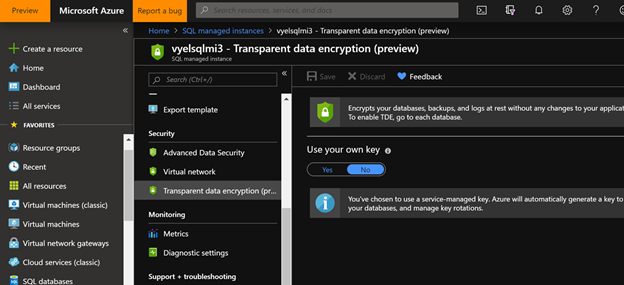
Go to Transparent data encryption under security and click on Yes for the setting -Use your own key. Point to the Key Vault which is used by the source instance
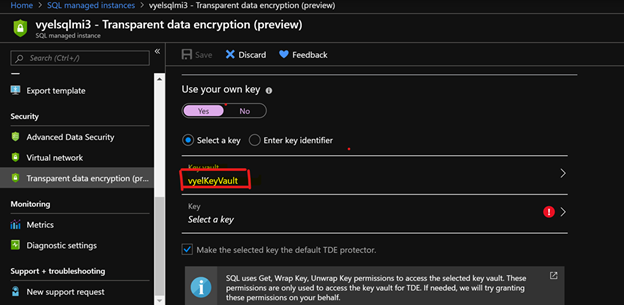
Assign the same Key vault that was used by vyelsqlmi2 (source instance)
Select the same TDE Protector as used by the vyelsqlmi2 ( source instance)
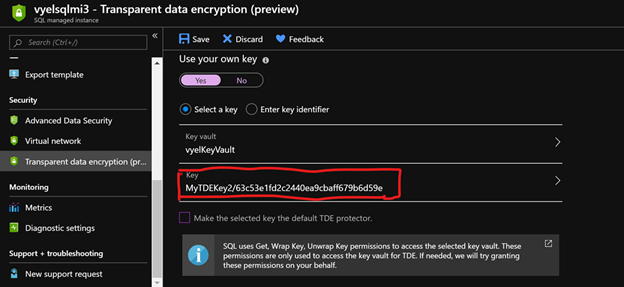
Make sure that the setting - Make the selected key the default TDE protector is disabled. That way the key can be used only for restore on the target instance, without being used as a TDE protector after the restore.

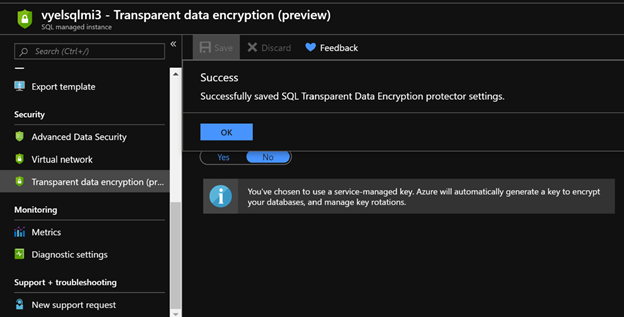
Click on Save to ensure that the settings are applied. Doing this in the Portal will create an AppID for the SQL Database Managed instance target server, which is used to assign the SQL Database managed instance server permissions to access the key vault.
Checking the access policies for the Key vault, you can see that both the managed instance servers has permissions to access the key vault.
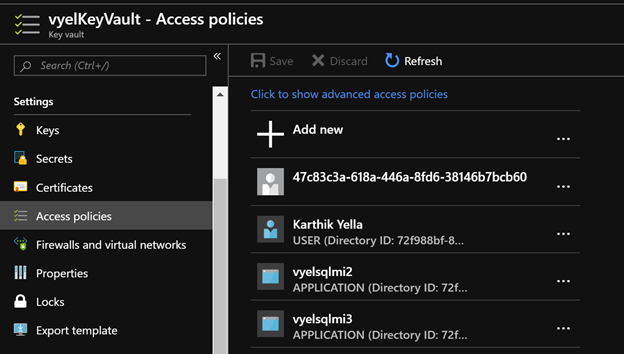
In this way, we can guarantee that any Azure SQL Instance has access to the key vault to access the TDE protector even before we try to restore the database to prevent any Data exfiltration scenarios.
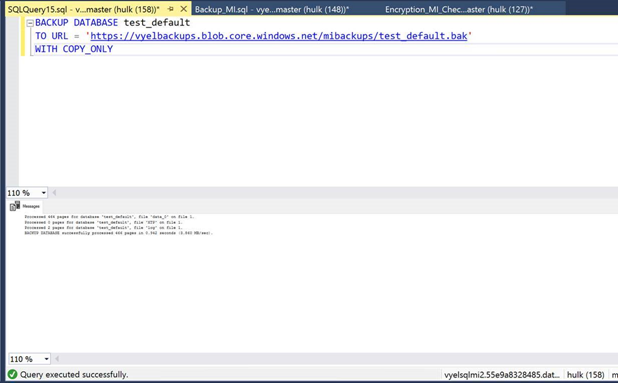
Finally, Backup the database using the COPY_ONLY flag on the Source SQL instance.
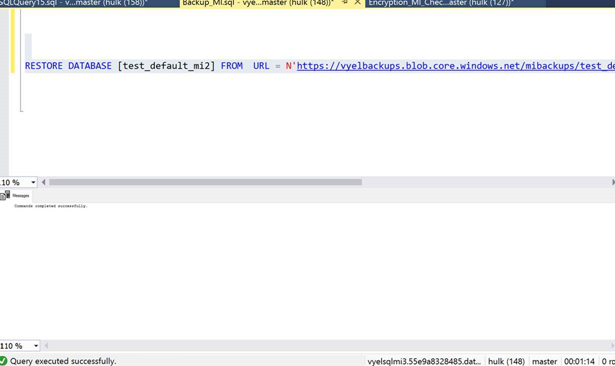
Restore the database on the target SQL instance
That way easy!