SalaKonna is a Discord bot that allows its users to have conversations with each other while remaining anonymous under a pseudonym.
Follow this guide on how to create a bot on the Discord developer portal and invite the bot to your server. This is also where you'll get the bot token.
Clone the repository and install all the necessary dependencies by using npm install or yarn.
NOTE! MongoDB has been used as a database on this project to store and connect users with their given pseudonyms as well as to clear the pseudonyms after 24 hours have passed. So you will also need to create your own MongoDB database and to configure deleting user information there.
You will also need to create a .env file and fill it with the necessary TOKENS and IDS. Which will end up looking somewhat similar to this:
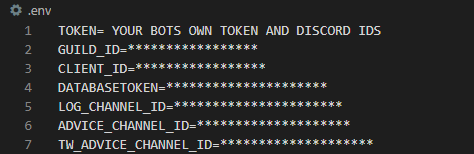
NOTE! This is not meant to be a step-by-step guide on how to overall set up a discord bot on your own server nor is it about how discord bots work and are used, for that you will have to rely on other documentation like the link provided at the start.
Instead, this is only meant to be a demonstration on how to get this exact bot running.
Once the bot is online and running on the discord server, you can write a slash command: /post on a text channel.
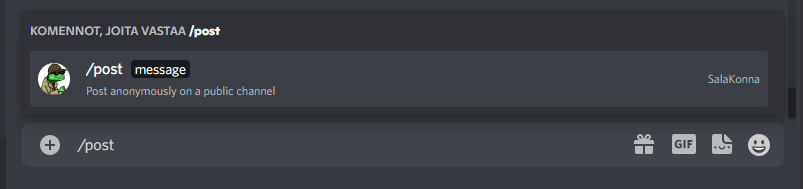
Then write your message and send it.

You will receive a reply that only you can see, confirming your message was sent successfully.

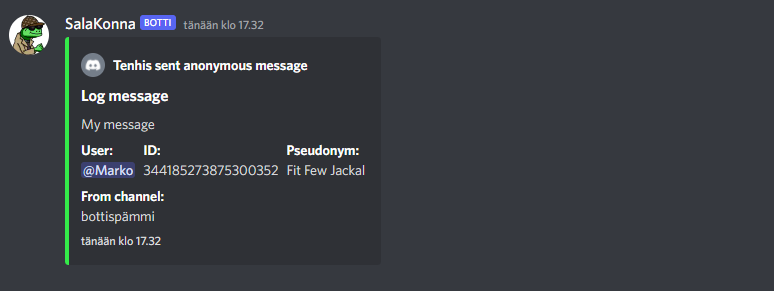
The message will appear on another text channel under a pseudonym.

(An npm-package is utilized in the creation of the pseudonyms. )
Alternatively, if you think your message might contain something that may cause other users to feel anxiety or other unpleasant feelings you can use: /toggletw command before you use the /post command to switch channels where your message will be sent.

And like previously you will receive a confirmation (which only you can see) that you have changed the channels successfully.

You can freely switch back and forth between the channels where your messages will be sent by using the same /toggletw command again.
Also for moderation purposes, the message will also be sent to a log where you can find all the necessary information on who sent what and when.
If you wish to know or want to check what your current given pseudonym is you can do so by using the command: /check

You will receive a reply (only visible to the user) informing you of your current pseudonym.

Also if you dislike the pseudonym that was generated for you it can be changed by using the command: /change

And like before a reply which is only visible to you will tell you your new pseudonym.

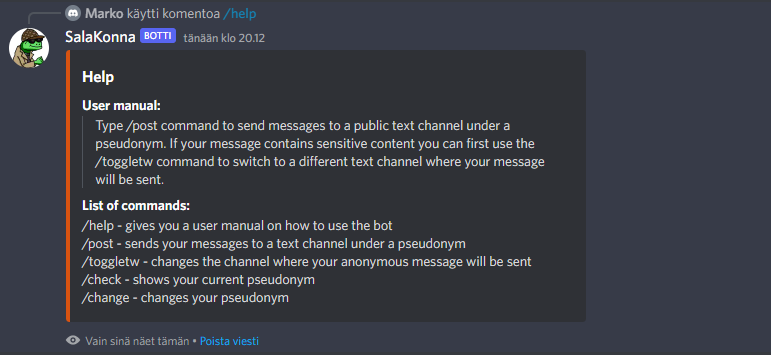
If you ever forget how the bot exactly works you can always use the command: /help which will give you a brief user manual and a list of commands.

You will receive a reply which is only visible to you.
For now, the bot works as intended and is a finished product, but we were actually already working on adding a ticket system for the bot where an admin could use a command and create a button. By clicking this button a new text channel would appear which is only visible to the person clicking on the button and the servers admins.
And from this new text channel, a user could safely use the /post command without having to worry about mistyping the command and revealing themselves, and we also thought that it would be nice if all the replies to your message were sent into this new text channel so the user wouldn't have to jump between channels. But copying the messages to another channel turned out to be pretty complex and it felt more intuitive to do it without a ticket functionality.