Vim/Neovim plugin to use Ranger as a file explorer.
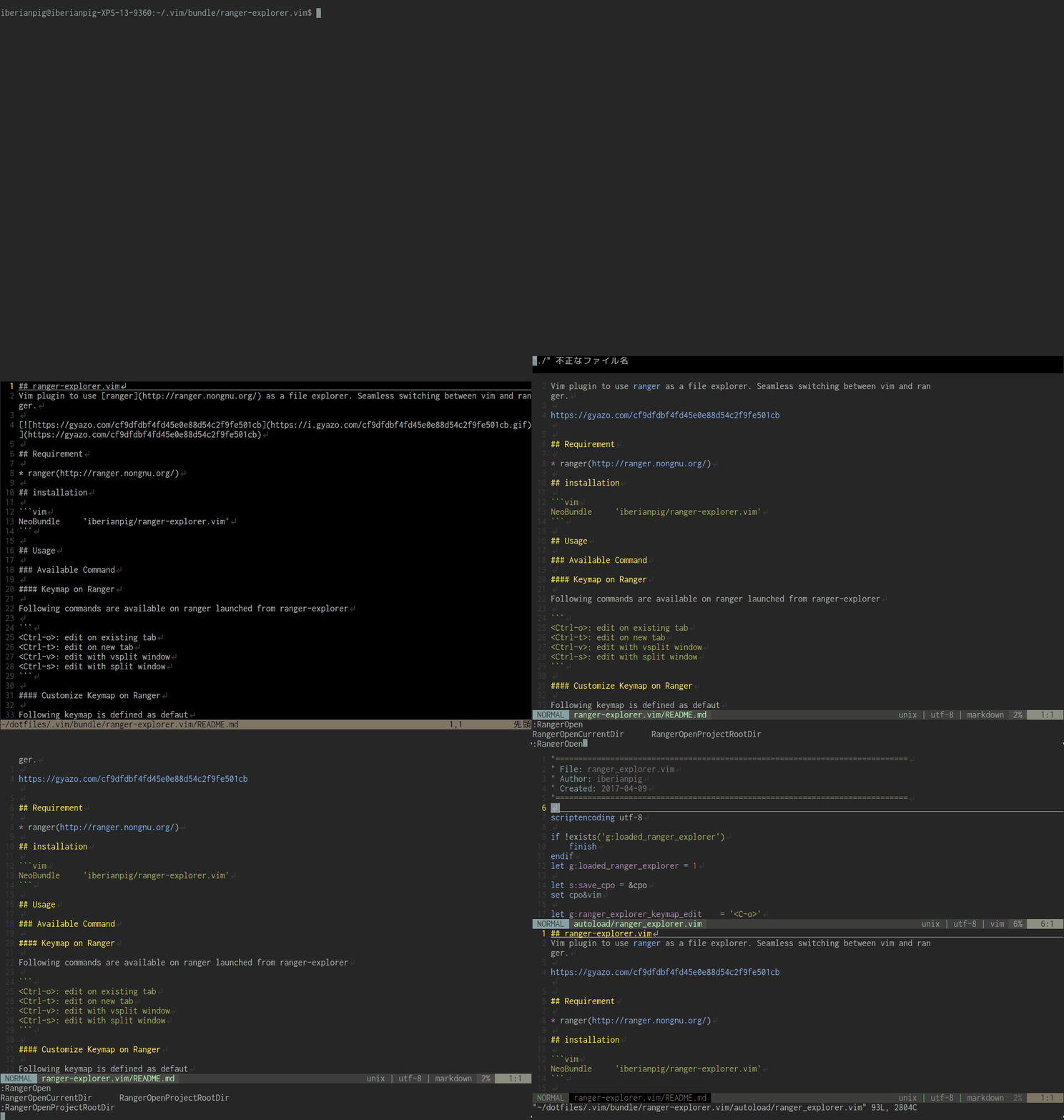
- Seamless Integration - Switch between Vim/Neovim and Ranger effortlessly
- Multiple Open Methods - Open files via
edit,tabedit,split, orvsplit - Flexible Navigation - Open from current file, current directory, or project root
- Custom Arguments - Pass additional arguments to Ranger commands
- Directory Auto-expand - Automatically opens Ranger when editing a directory (replaces netrw)
- Vim & Neovim Support - Works with both Vim and Neovim
- Ranger - A VIM-inspired file manager for the console
- bclose.vim - Required for Neovim only
Note: When using this plugin, netrw's directory browsing is automatically disabled (
let g:loaded_netrwPlugin = 1).
{
  'iberianpig/ranger-explorer.vim',
  dependencies = { 'rbgrouleff/bclose.vim' },
}use {
'iberianpig/ranger-explorer.vim',
requires = { 'rbgrouleff/bclose.vim' },
}" For Neovim
Plug 'rbgrouleff/bclose.vim'
Plug 'iberianpig/ranger-explorer.vim'
" For Vim (bclose.vim is not required)
Plug 'iberianpig/ranger-explorer.vim'call dein#add('rbgrouleff/bclose.vim') " Required for Neovim
call dein#add('iberianpig/ranger-explorer.vim')| Command | Description |
|---|---|
:Ranger [path] |
Open Ranger at the specified path |
:RangerOpenCurrentFile [args] |
Open Ranger at current file's location |
:RangerOpenCurrentDir [args] |
Open Ranger in current working directory |
:RangerOpenProjectRootDir [args] |
Open Ranger at project root directory |
You can pass additional arguments to Ranger:
" Open Ranger with hidden files shown
:RangerOpenCurrentDir --show-hidden

" Open Ranger with a specific command
:RangerOpenCurrentFile --cmd='set viewmode multipane'Customize the keymaps used within Ranger:
| Variable | Default | Description |
|---|---|---|
g:ranger_explorer_keymap_edit |
<C-o> |
Open file in current tab |
g:ranger_explorer_keymap_tabedit |
<C-t> |
Open file in new tab |
g:ranger_explorer_keymap_split |
<C-s> |
Open file in horizontal split |
g:ranger_explorer_keymap_vsplit |
<C-v> |
Open file in vertical split |
" In your .vimrc or init.vim
let g:ranger_explorer_keymap_edit    = '<C-o>'
let g:ranger_explorer_keymap_tabedit = '<C-t>'
let g:ranger_explorer_keymap_split   = '<C-s>'
let g:ranger_explorer_keymap_vsplit  = '<C-v>'
For lazy.nvim:
{
  'iberianpig/ranger-explorer.vim',
  dependencies = { 'rbgrouleff/bclose.vim' },
  init = function()
    vim.g.ranger_explorer_keymap_edit    = '<C-o>'
    vim.g.ranger_explorer_keymap_tabedit = '<C-t>'
    vim.g.ranger_explorer_keymap_split   = '<C-s>'
    vim.g.ranger_explorer_keymap_vsplit  = '<C-v>'
  end,
}When Ranger is launched from ranger-explorer, the following keymaps are available:
| Key | Action |
|---|---|
<Ctrl-o> |
Open file in existing tab |
<Ctrl-t> |
Open file in new tab |
<Ctrl-v> |
Open file with vertical split |
<Ctrl-s> |
Open file with horizontal split |
Add these to your ~/.vimrc or ~/.config/nvim/init.vim:
nnoremap <silent><Leader>n :RangerOpenCurrentFile<CR>
nnoremap <silent><Leader>c :RangerOpenCurrentDir<CR>
nnoremap <silent><Leader>f :RangerOpenProjectRootDir<CR>
For lazy.nvim:
{
  'iberianpig/ranger-explorer.vim',
  dependencies = { 'rbgrouleff/bclose.vim' },
  keys = {
    { '<Leader>n', '<Cmd>RangerOpenCurrentFile<CR>',       desc = 'Ranger: Current file' },
    { '<Leader>c', '<Cmd>RangerOpenCurrentDir<CR>',        desc = 'Ranger: Current dir' },
    { '<Leader>f', '<Cmd>RangerOpenProjectRootDir<CR>',    desc = 'Ranger: Project root' },
  },
}:RangerOpenProjectRootDir finds the project root by searching upward for a .git directory. If no .git is found, it falls back to the current working directory.
- Launch Ranger from Vim/Neovim using one of the commands
- Navigate and select files in Ranger
- Use
<C-o>,<C-t>,<C-v>, or<C-s>to open the selected file - The file opens in Vim/Neovim in the same process (not as a child of Ranger)
To prevent Ranger from automatically opening when you edit a directory:
let g:loaded_netrwPlugin = 0Or use another file explorer plugin that handles directory buffers.
Yes, ranger-explorer.vim can coexist with other file explorers like NERDTree or nvim-tree. However, since it disables netrw by default, directory buffers will be handled by Ranger.
Neovim's terminal buffer handling differs from Vim's. The bclose.vim plugin provides a reliable way to close the Ranger terminal buffer without side effects.
MIT License
Copyright (c) 2017 Kohei Yamada
Permission is hereby granted, free of charge, to any person obtaining a copy of this software and associated documentation files (the "Software"), to deal in the Software without restriction, including without limitation the rights to use, copy, modify, merge, publish, distribute, sublicense, and/or sell copies of the Software, and to permit persons to whom the Software is furnished to do so, subject to the following conditions:
The above copyright notice and this permission notice shall be included in all copies or substantial portions of the Software.
THE SOFTWARE IS PROVIDED "AS IS", WITHOUT WARRANTY OF ANY KIND, EXPRESS OR IMPLIED, INCLUDING BUT NOT LIMITED TO THE WARRANTIES OF MERCHANTABILITY, FITNESS FOR A PARTICULAR PURPOSE AND NONINFRINGEMENT. IN NO EVENT SHALL THE AUTHORS OR COPYRIGHT HOLDERS BE LIABLE FOR ANY CLAIM, DAMAGES OR OTHER LIABILITY, WHETHER IN AN ACTION OF CONTRACT, TORT OR OTHERWISE, ARISING FROM, OUT OF OR IN CONNECTION WITH THE SOFTWARE OR THE USE OR OTHER DEALINGS IN THE SOFTWARE.