


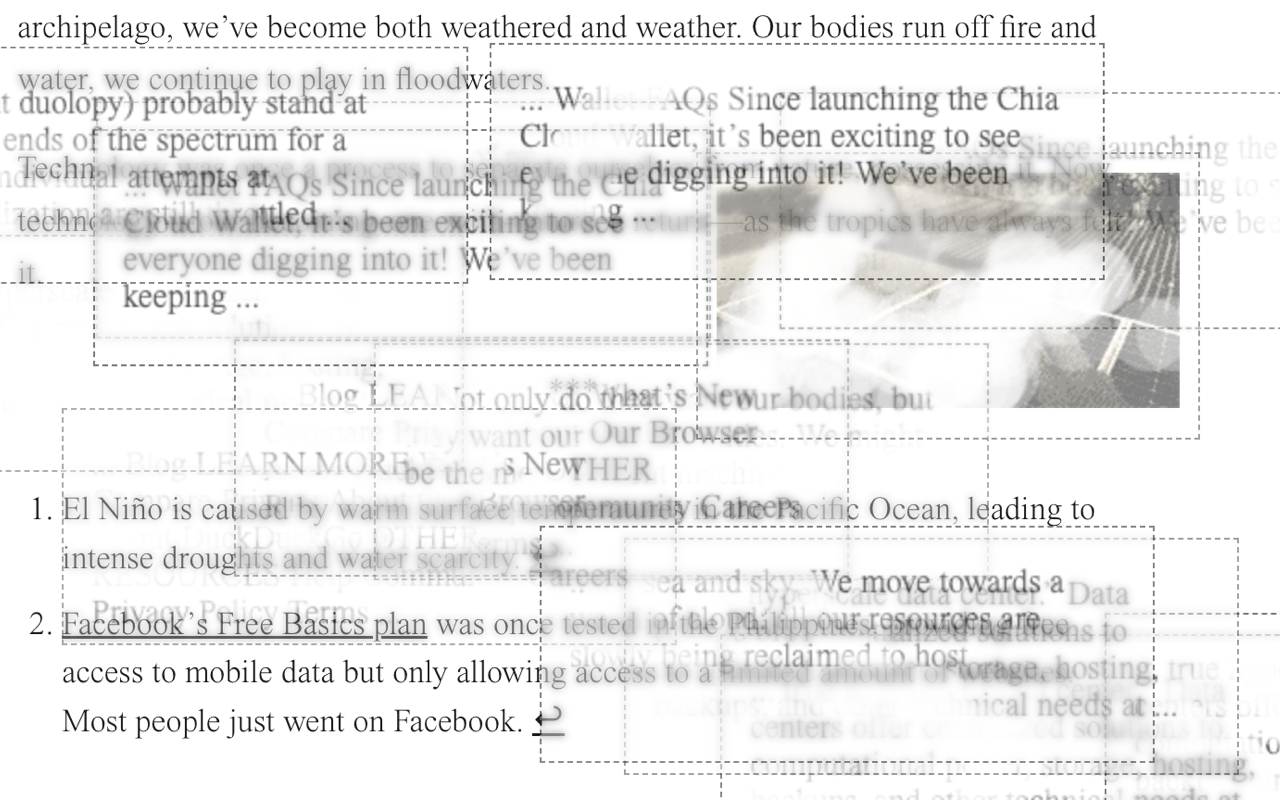
A browser extension that transforms forgetting into labor, memory into matter.
This project is a conceptual experimentation/intervention that explores the durational temporality and the disavowed materiality of digital interactivity. As you browse the web, the extension quietly collects memories (snippets of text and images) from the pages you visit. These memory fragments are then stored locally and periodically resurface on other pages you browse, appearing as semi-transparent overlays, like half-remembered thoughts.
These memory fragments do not fade away on their own; to forget, you must engage in the physical act of erasure. By dragging your cursor across the fragments, you progressively wipe them away, stroke by stroke. The gesture is deliberate, almost meditative. The act of forgetting becomes a gesture you must actively perform rather than something that simply happens to you.
The extension operates through three interconnected processes that run continuously as you browse.
The first process is collection. Whenever you visit a new page, there is a small chance that the extension will capture a fragment from that page. For text, it extracts a random twenty-word snippet from the body content. For images, it occasionally captures a reference to a larger image on the page. These fragments are stored locally on your computer in Chrome's storage system. The collection is intentionally sparse and random—not every page contributes a memory.
The second process is manifestation. As you browse, the extension periodically checks its collection of stored memories and selects one at random to display on your current page. These memories appear as fixed-position overlays that float above the page content. Text memories appear as semi-transparent boxes with dashed borders, while image memories appear as filtered, dreamlike pictures with a sepia-toned aesthetic. Each memory persists for sixty seconds before automatically fading away if you do not interact with it.
The third process is erasure. When you position your cursor over a memory fragment, you enter erasure mode. As you drag your cursor across the fragment, the extension tracks your cursor's path and progressively makes those specific pixels transparent. The erasure works like using a physical eraser on paper, where only the parts you drag across actually disappear. A canvas-based rendering system enables this pixel-level control. The memory keeps track of how much of its surface area has been erased, and once you have wiped away approximately 80% of the fragment, the entire memory fades out and is removed from the page.
You can download a packaged version of the extension from Chrome Web Store here
To install the extension for development, you need to load it as an unpacked extension in Chrome:
- Download or clone this repository to your local machine.
- Open Chrome and navigate to the extensions management page by typing chrome://extensions in the address bar.
- Enable “Developer Mode” using the toggle in the top right corner.
- Click the button labeled "Load unpacked" and select the directory containing the extension files.
- The extension should be installed and active now.
- You can optionally pin the extension for easier access to the pop-up UI.
The Safari version of this extension has been built using Xcode and the Safari Web Extension Converter. To install for Safari (MacOS):
- Download the Safari version of the extension from the releases section of this repository.
- Unzip and open the application bundle with a
.appextension. - Open Safari and navigate to "Settings" from the menu bar.
- Click on the "Extensions" tab, and you should see "i try to forget" listed among the available extensions.
- Enable it by checking the box next to the extension name.
When you first install the extension, you will see an onboarding page that explains what the extension does and asks for your consent regarding data collection (all data collected is local and required for the functionalities; please refer to the privacy policy for more details). After you consent, the extension begins operating in the background as you browse. You do not need to interact with it explicitly—it will automatically collect and display memories as you navigate the web.
To manage your memories or adjust settings, click the extension icon in your browser toolbar. This opens a pop-up UI, where you can:
- See how many memories are stored.
- View the list of collected fragments.
- Toggle memory collection on or off.
- Clear all stored data if desired.
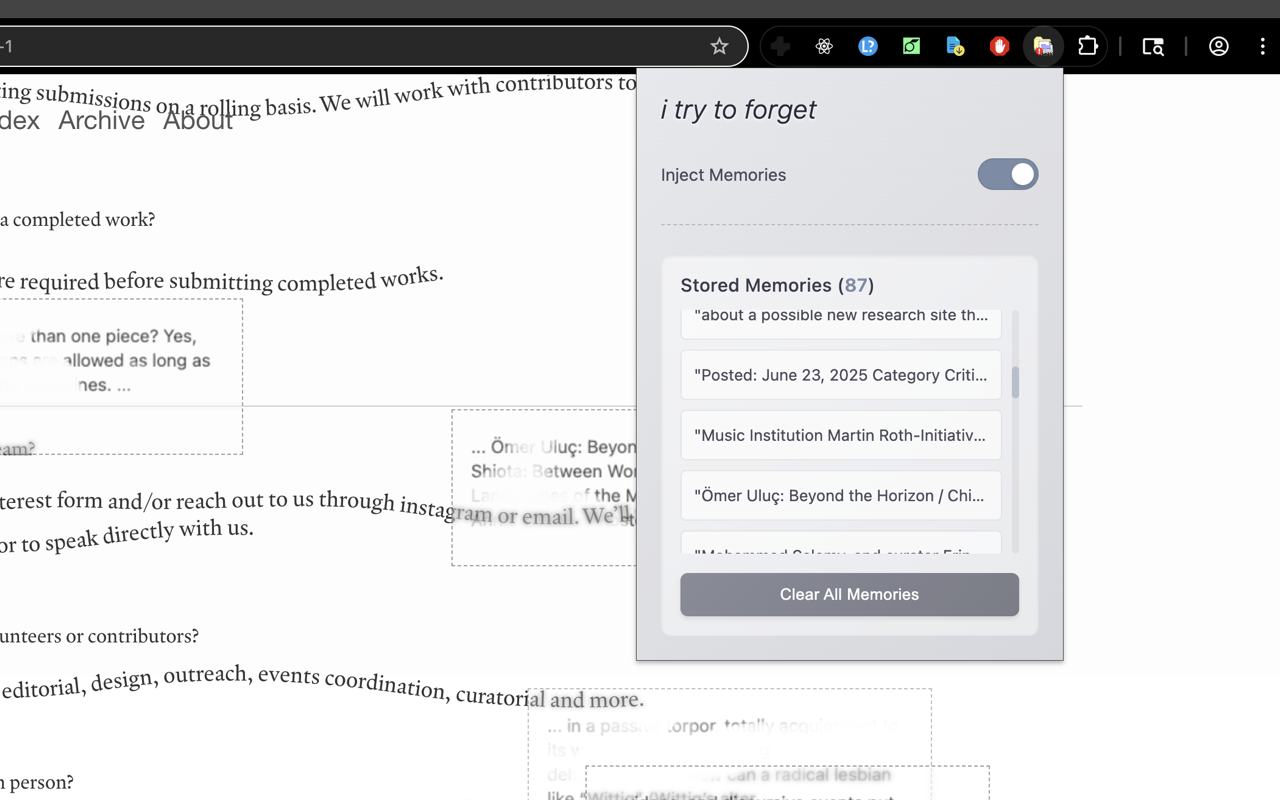
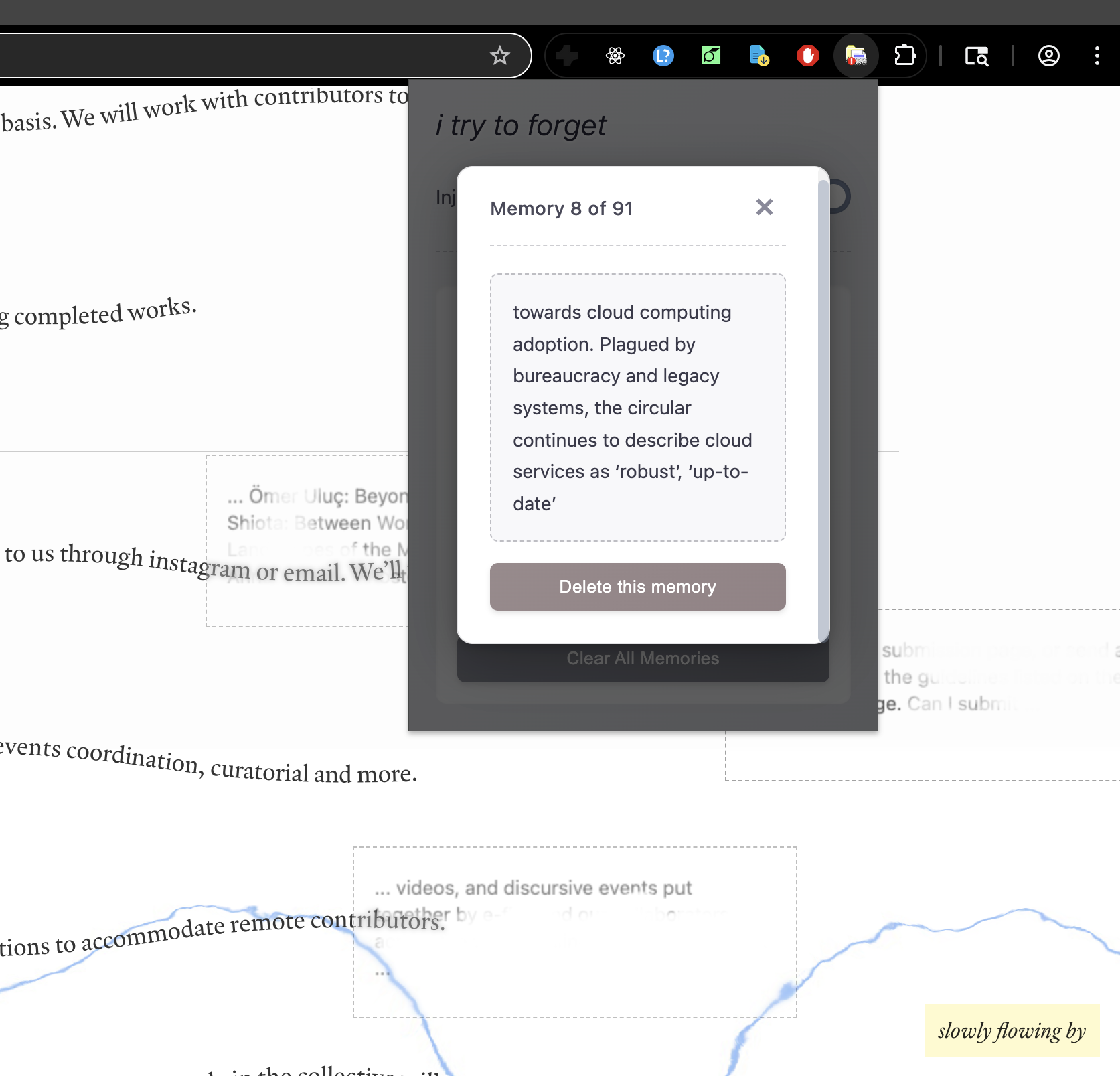
Clicking on any memory in the list will open a modal showing the complete content of that memory, as well as a deletion button for that individual memory fragment.
To erase a memory that appears on a page, position your cursor over the fragment and drag across the content. You will see the parts you drag over gradually become transparent. Continue dragging until enough of the memory has been erased, at which point it will fade out completely. If you prefer not to interact with a memory, it will automatically disappear after sixty seconds.
This extension is built specifically for Chromium-based browsers, including Google Chrome, Microsoft Edge, Brave, and Opera. It uses Manifest V3 and standard web APIs that are well-supported across these browsers. The canvas-based erasure system relies on HTML5 features that have broad compatibility. The extension has not been tested on Firefox and would likely require modifications to work with Firefox's extension architecture.
The internet is often imagined as ephemeral, as a weightless space where information appears and vanishes without a trace or consequence. Yet every interaction leaves residue, every visit generates data, and our digital lives accumulate in ways that are simultaneously invisible and permanent. We hoard cookies, histories, caches, and logs—digital detritus that builds up in the background of our browsing.
This extension makes that accumulation visible—or tactile. It externalizes the usually hidden process of data collection, in which digital debris from the past becomes concrete objects that intrude into the present. The memories manifest as apparitions that hijack the current page you are browsing; free-floating signifiers from the unconscious breed inside the apparatus, physically obstructing/obscuring the present information flow.
Here, deletion requires physical effort; you must drag your cursor across the memory fragment repeatedly, progressively erasing it pixel by pixel until enough of it has been wiped away for it to finally disappear. This labor makes forgetting material, giving it weight and duration. The act of erasure becomes a form of meditation, a ritualistic clearing. But there is also something futile about it—as soon as you clear one set of memories, more begin to accumulate. The work of forgetting is never finished.
The extension is built on Chrome's Manifest V3 architecture, and the main functional components include the background worker (background.js), the content script (content.js), and the user interface (popup.html, popup.css, popup.js).
The background service worker runs persistently and manages the memory collection process. When you navigate to a new page that has finished loading, the background script injects a function into the page that randomly determines whether to capture a memory. If capture occurs, it extracts either a text snippet or an image reference and stores it in Chrome's local storage. The storage maintains an array of up to 100 memories. Once the queue is full, the oldest memories are automatically removed as new ones arrive.
The content script runs on every page you visit and handles the memory manifestation and erasure processes. At regular intervals, it requests a random memory from the background script. When it receives one, it creates the visual representation using dynamically generated HTML elements. For the erasure functionality, the content script uses HTML5 canvas elements to render both text and images. This canvas-based approach enables pixel-level manipulation—as you drag your cursor across the memory, the script draws your path onto an invisible erasure layer, then uses that layer as a mask to make the corresponding pixels transparent in the visible canvas. By sampling the transparency of pixels across the canvas, the script can calculate the percentage of erasure and remove the memory once the threshold is reached.
The user interface provides controls and memory management. It allows you to toggle memory collection on and off, view the list of stored memories, and clear all memories. When you click on any memory in the list, an overlay with the full content (the complete text or the full-sized image) appears, where you can also choose to delete that specific memory.
MIT