Graphical User Interface
A convenient Graphical User Interface, with the possibility of building a graph database using "drag & drop" feature, is essential in bridging the gap between the usability of graph databases and the inability of several domain experts to utilise the features of a graph database through the query languages available. There are three possible ways in which these interfaces exist
- Built-in tools of the parent database system
- A third-party application, tool or plugin which
- Can not connect to the User Interface directly
- Can be directly interfaced to any Graph Database System to interact with stored data
We provide a thorough overview of the Graphical User Interface in the following table
| Graph Database Systems | Built-in GUI | Drag & Drop |
|---|---|---|
| AllegroGraph |
AllegroGraph WebView Gruff |
✔️ |
| Amazon Neptune | Neptune Workbench | - |
| ArangoDB | Graph Viewer | - |
| Hyper Graph DB | - | - |
| InfiniteGraph | InfiniteGraph Visualizer | - |
| OrientDB | OrientDB Studio | ✔️ |
| TigerGraph | TigerGraph Studio | ✔️ |
| Neo4j | several | ✔️ |
-
Embeddable Tools with built-in Neo4j connections
- Neovis.js
- Popoto.js
-
Embeddable Libraries without direct Neo4j connection
- D3.js
- Vis.js
- Sigma.js
- Vivagraph.js
- Cytoscape.js
-
Standalone Product Tools
- Bloom by Neo4j
- GraphXR by Kineviz
- yFiles by yWorks
- Linkurious Enterprise by Linkurious
- Graphistry by Graphistry
- Graphlytic by Graphlytic
source: "Graph Visualization Tools", neo4j, https://neo4j.com/developer/tools-graph-visualization/
The abundance of tools & libraries available in Neo4j, both built-in & external based on JavaScript, gives it quite the upper-hand in terms of flexibility, ease-of-visualization and adaptability. While most of the GUI tools does provide basic support of visualising queries and hover & move around the resulting nodes & edges, some rare ones do provide the extensive functionality of building a whole database from scratch using just the drag & drop feature, examples being
Built-in GUI for TigerGraph Database
Tool which can form nodes and edges using drag & drop builder and can export corresponding cypher code. http://www.apcjones.com/arrows/
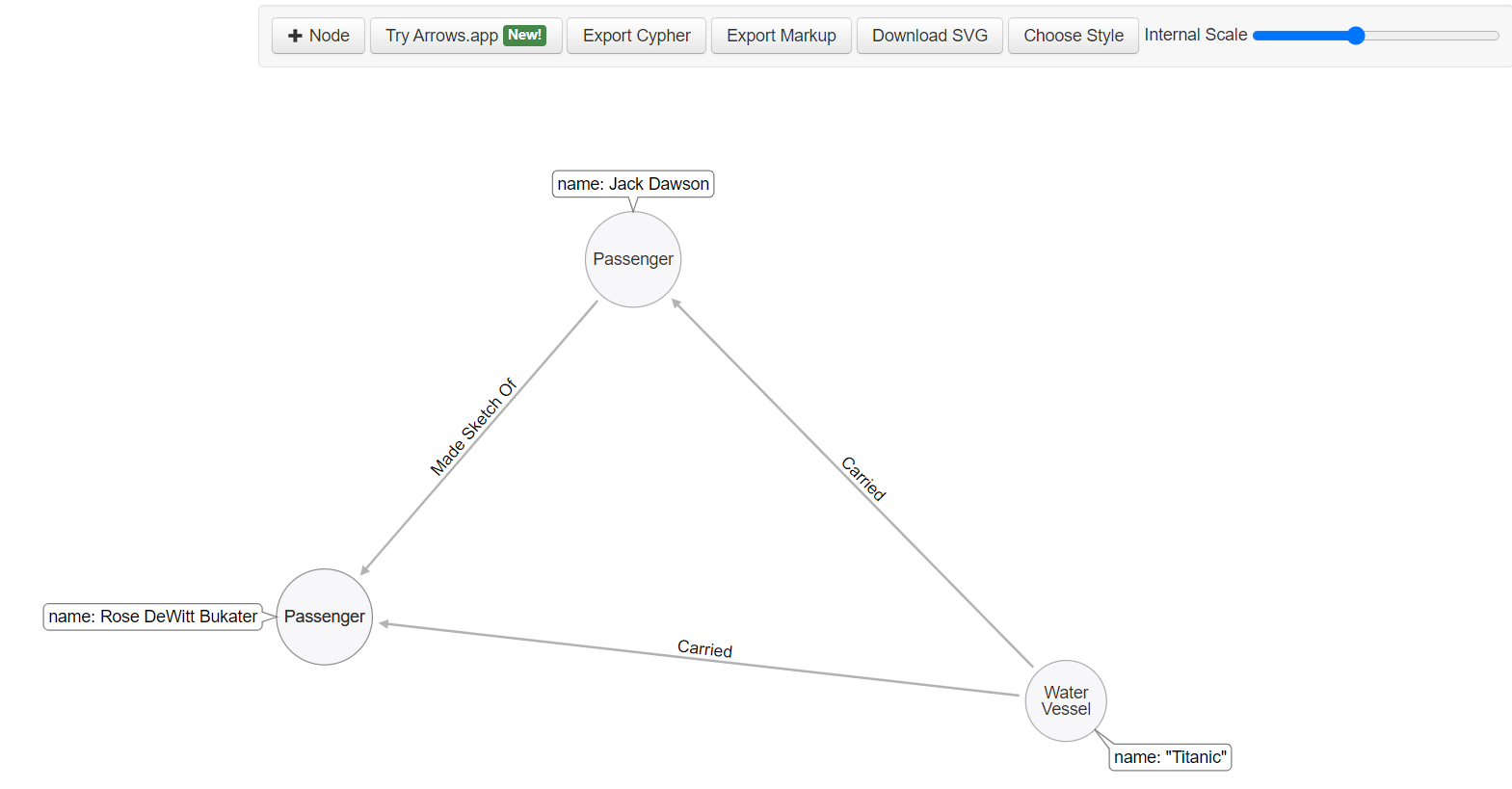
Cypher Code :
CREATE
  (`1` :`Water Vessel` {name:"Titanic"}) ,
  (`2` :Passenger {name:'Jack Dawson'}) ,
  (`3` :Passenger {name:'Rose DeWitt Bukater'}) ,
  (`4` :Passenger ) ,
  (`1`)-[:`Carried` ]->(`2`),
  (`1`)-[:`Carried` ]->(`3`),
  (`2`)-[:``Made Sketch Of`` ]->(`4`)
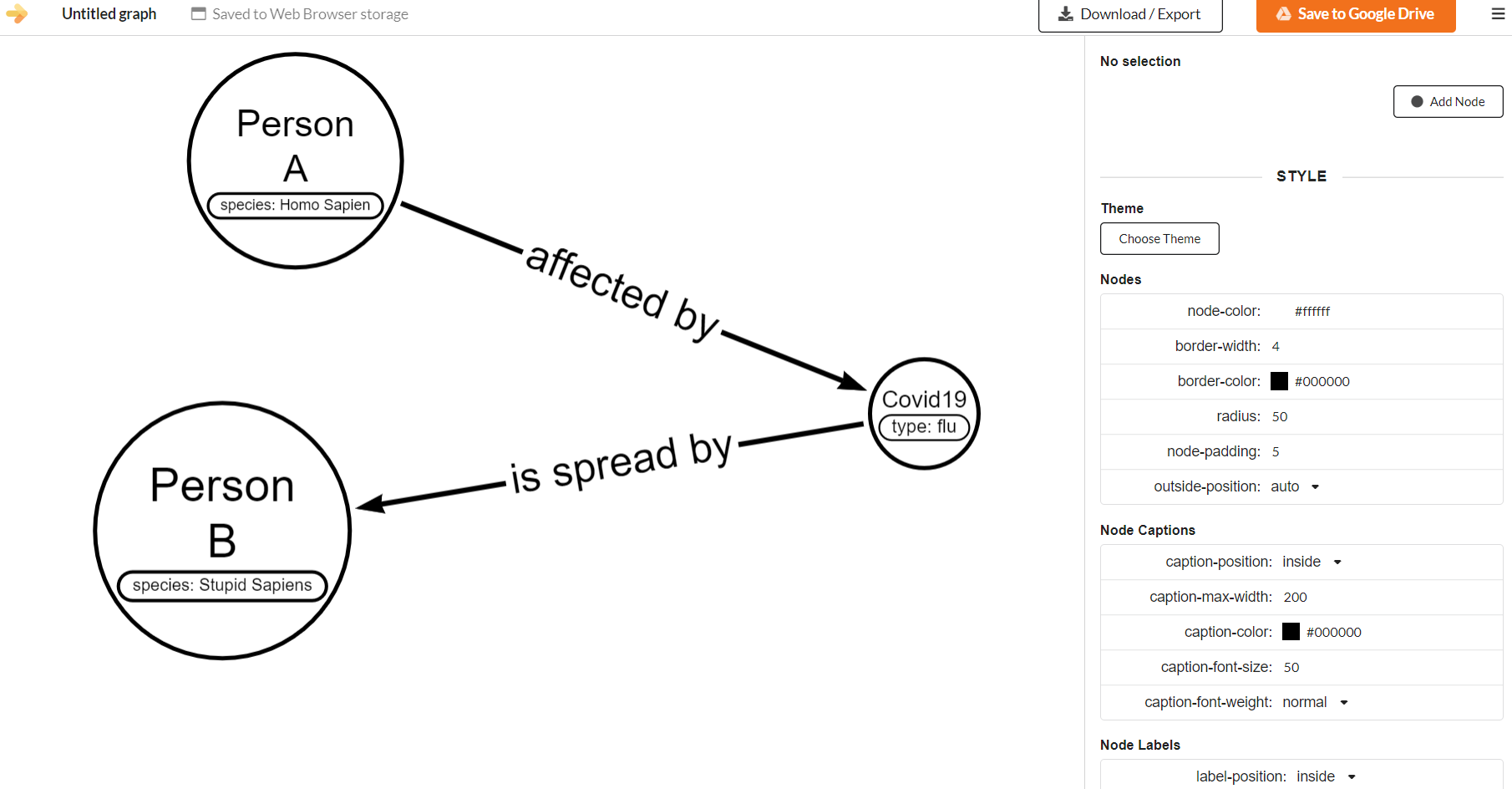
Cypher Code :
MATCH path0 = (:`species: Homo Sapien`)-[:affected by]->(:`type: flu`)-[:is spread by]->(:`species: Stupid Sapiens`)
RETURN path0